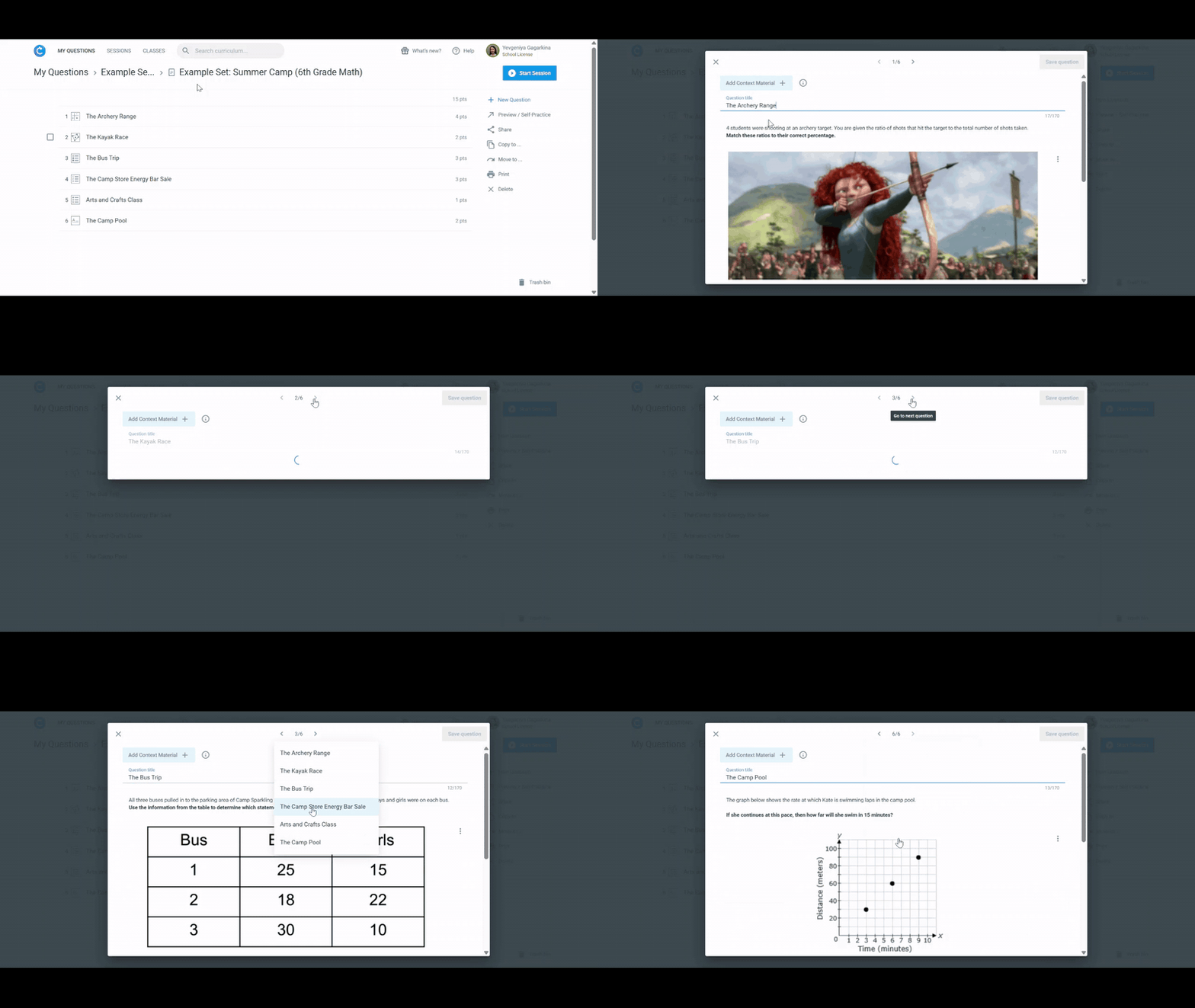
We've added a new Question Editor Navigation panel to help you more easily edit Question Sets.
With this update, you can:
- See all questions at a glance: A panel displays your full question list so you can jump through the set much faster.
- Jump between questions using arrows: Click the arrows to move to the next or previous question – no more closing one question to open another.
👉 Try the new navigation panel the next time you open a Question Set!
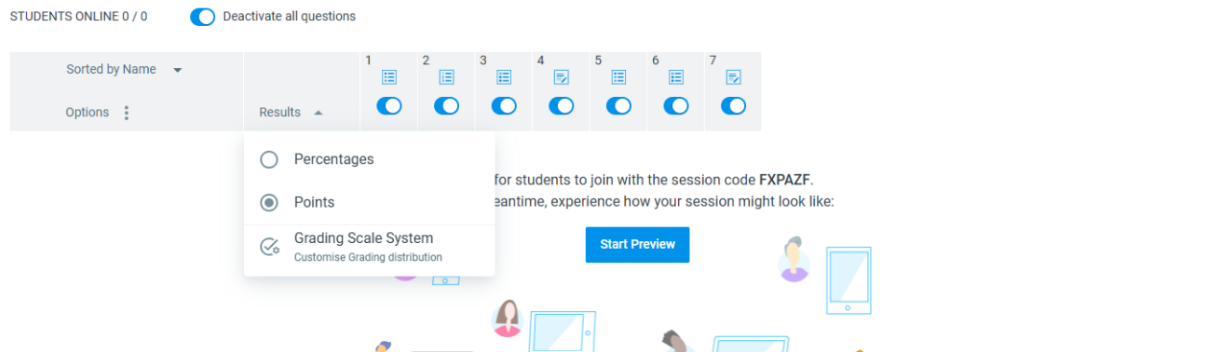
We’ve launched the Grading Scale System to make grading faster, fairer, and more flexible. With this update, you can:
- Use the default grading scale or adjust your own
- Customize grade steps, set min/max thresholds & corresponding points per session
- View class grade distribution at a glance
- Control what students see (letter grades, points, or percentages)
👉 Available now in Results → Grading Scale System
✨ Focus less on calculations and more on teaching, while giving students fair and transparent feedback.
Learn more here!
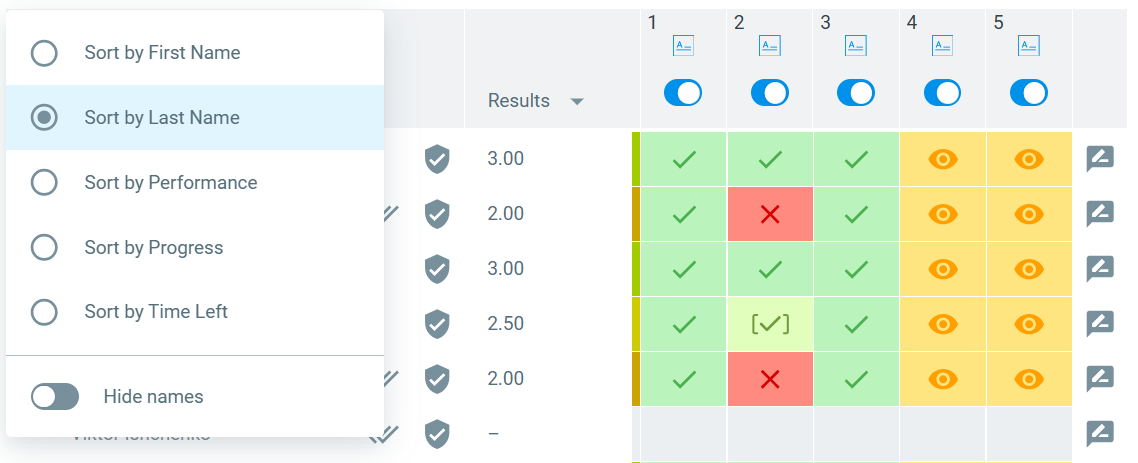
We’re introducing Session Analytics and have improved the Sorting options on the Session Dashboard to help you quickly understand performance trends and support student learning.
With the new updates, you can:
- Track Math, ELA & Science Performance Over Time: Track trends by strategic thinking type or standard, total answers, and accuracy.
- View Student Breakdowns: Dive deeper into individual performance when needed.
- Sort Session Dashboard: Sort your dashboard by last name to match your classroom or gradebook order.
👉 Explore
Session Analytics & the
new Dashboard sorting in your sessions now!
We’ve made it easier to give students the information they need before they answer a question!
You can now add materials like reading passages directly in the question creator. This content will be shown side-by-side with the question for easier access.
✏️ How it works:
- Click “Add Side-by-Side Content” above the question title.
- Students can resize the materials panel or hide the question list to focus better.
- While reviewing responses, you can view Side-by-Side content alongside student answers (available for both class and individual reviews).
Add side-by-side content to any question that requires extra information to improve clarity and performance.
Learn more
here!
We’ve just released a set of updates to make answering and submitting easier and more flexible for students:
- Submit Incomplete Answers: Students can now submit partially completed answers for Categorizer, Categorizer (checkboxes), and Fill in the Gap questions without losing progress.
- Improved Hand-In Process: Draft answers are now saved. Students can hand in everything with one click or continue later without losing their work.
- Better Timer Support: When time runs out, all valid (even incomplete) answers are auto-submitted. Teachers now get helpful prompts when adding time in one-attempt sessions.
These updates reduce stress and support learning, even when answers aren’t 100% complete. Learn more about the changes here.
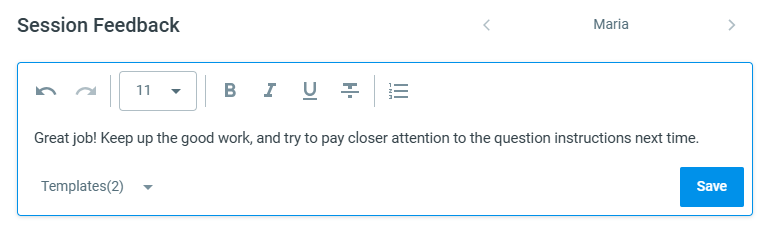
We’re excited to introduce the new Comment function! Tailor your feedback to fit your session — whether it’s on individual answers, the overall session, or both. With the comment function, you can:
- Give targeted feedback by commenting on specific student answers or providing general comments on the entire session
- Save time by using customizable templates for your most frequent comments
- Control when and what students see by managing comment visibility through the Student View Controls
Whether you're reviewing quick checks or deep reflections, Classtime now makes it easier than ever to share thoughtful, actionable feedback. Learn more about it here.
We’re excited to introduce Student View Controls on the session dashboard! This new feature gives you more control over what students see during and after a session, making it easier to guide their learning experience.
You can adjust visibility between the following states:
- Off – Content remains hidden, even if the student has already answered the question.
- After Answer Submission – Content becomes visible immediately after the student submits their answer.
- On – Content is always visible, regardless of whether the student has answered.
Learn more about these settings here!
At Classtime, we truly value your input, and we're excited to introduce a new channel where you can share feedback on what we should build next. This initiative helps us prioritize what matters most to you by allowing us to both innovate new features and refine existing ones to improve your experience.
Share your ideas or upvote existing ones here: https://classtime.nolt.io/
At Classtime, we’re committed to keeping you updated on our latest product improvements, beyond major feature releases. Here’s a glance at the improvements we’ve made to enhance your experience over the past few weeks:
- Essay Question Editor: You can now use the Tab key for seamless input while editing responses.
- Timer Monitoring: The student list is now sorted by connection status, making it easier to track participation.
We hope these updates help you get even more out of Classtime!
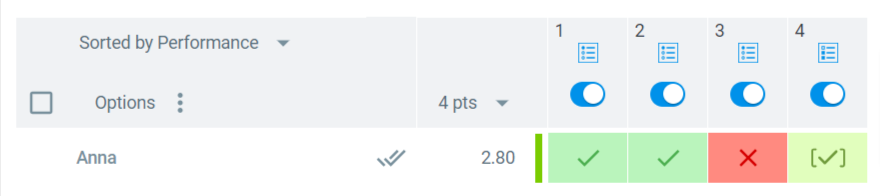
We are excited to launch the new visualization for partial points on the session dashboard! Our new partial points icon was designed for greater accuracy for tracking student scores during and after sessions.
Here are the key feature highlights:
- Indicate Partial Credits: This feature instantly shows scores between 0 and the maximum points per question, directly indicating partial credits.
- Real-Time Updates: Similar to the icons for correct and incorrect answers, the partial points icon allows real-time updates during sessions and adjusts dynamically if students revise their answers.
- Streamlined Grading: Streamline your grading, as partial scores are now clearly differentiated without the need for manual checks.
Discover how the partial points icon enhances the session dashboard by providing even more precise, immediate feedback in your next Classtime session!
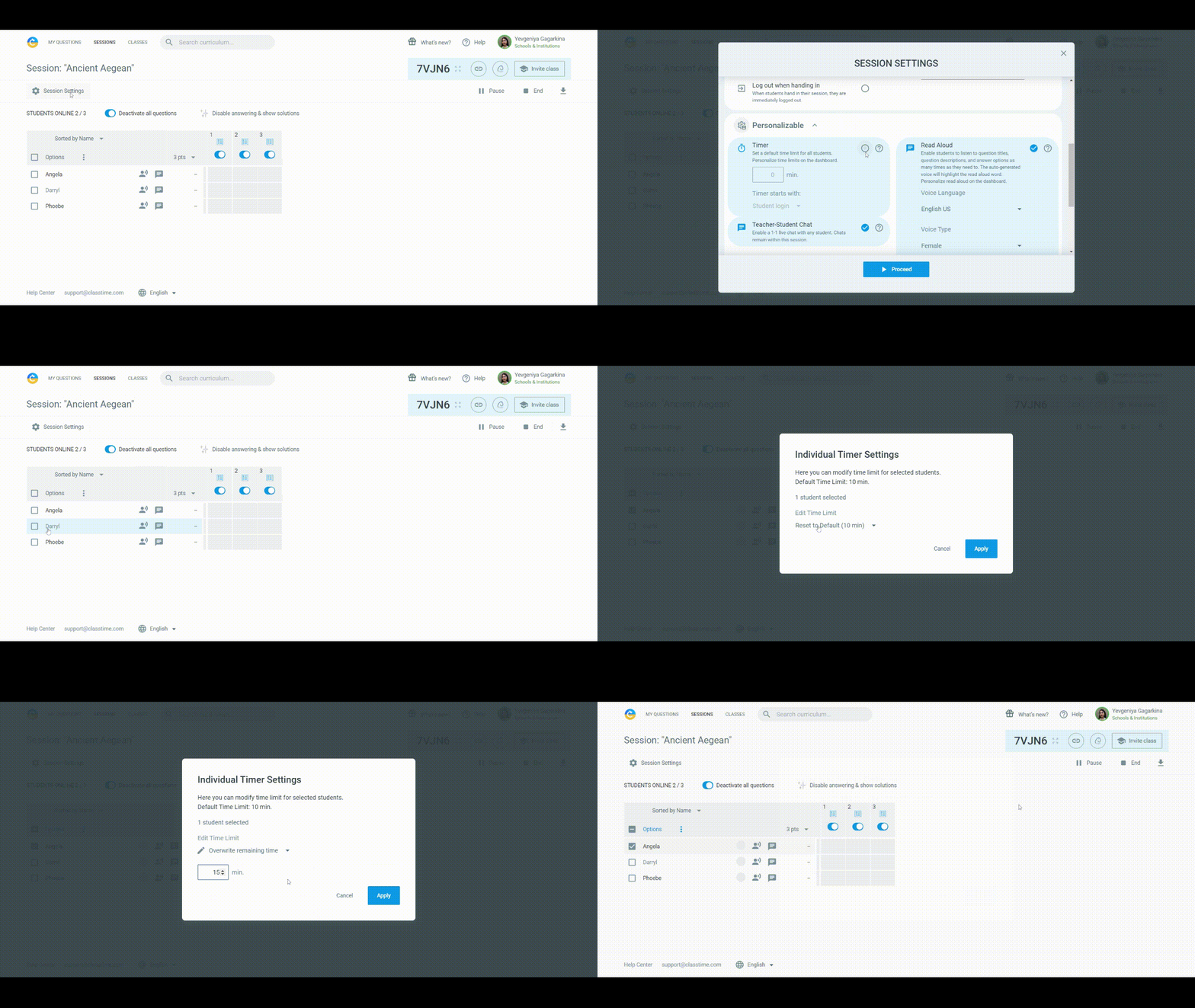
We are thrilled to introduce new personalized session settings, making it easier to tailor the learning experience to each student's needs in every session! These settings empower educators to create a more adaptable and responsive classroom environment, catering to the unique needs of each learner. Here's a quick overview:
- Enhanced Timer Settings: Educators can easily view and modify the duration of sessions for individual students, track the remaining time left in a session, add/subtract time, or overwrite it with a few clicks.
- Adaptable Read-Aloud Feature and Teacher-Student Chat: Our read-aloud and chat features cater to different learning styles. Customize the read-aloud voice to match every student's needs, and chat with individual students.
- Options Menu: Set these preferences for the whole class and make specific adjustments to the timer, the chat, and read-aloud for individual learners through the "Options" menu.
Learn more about these personalizable session settings here.
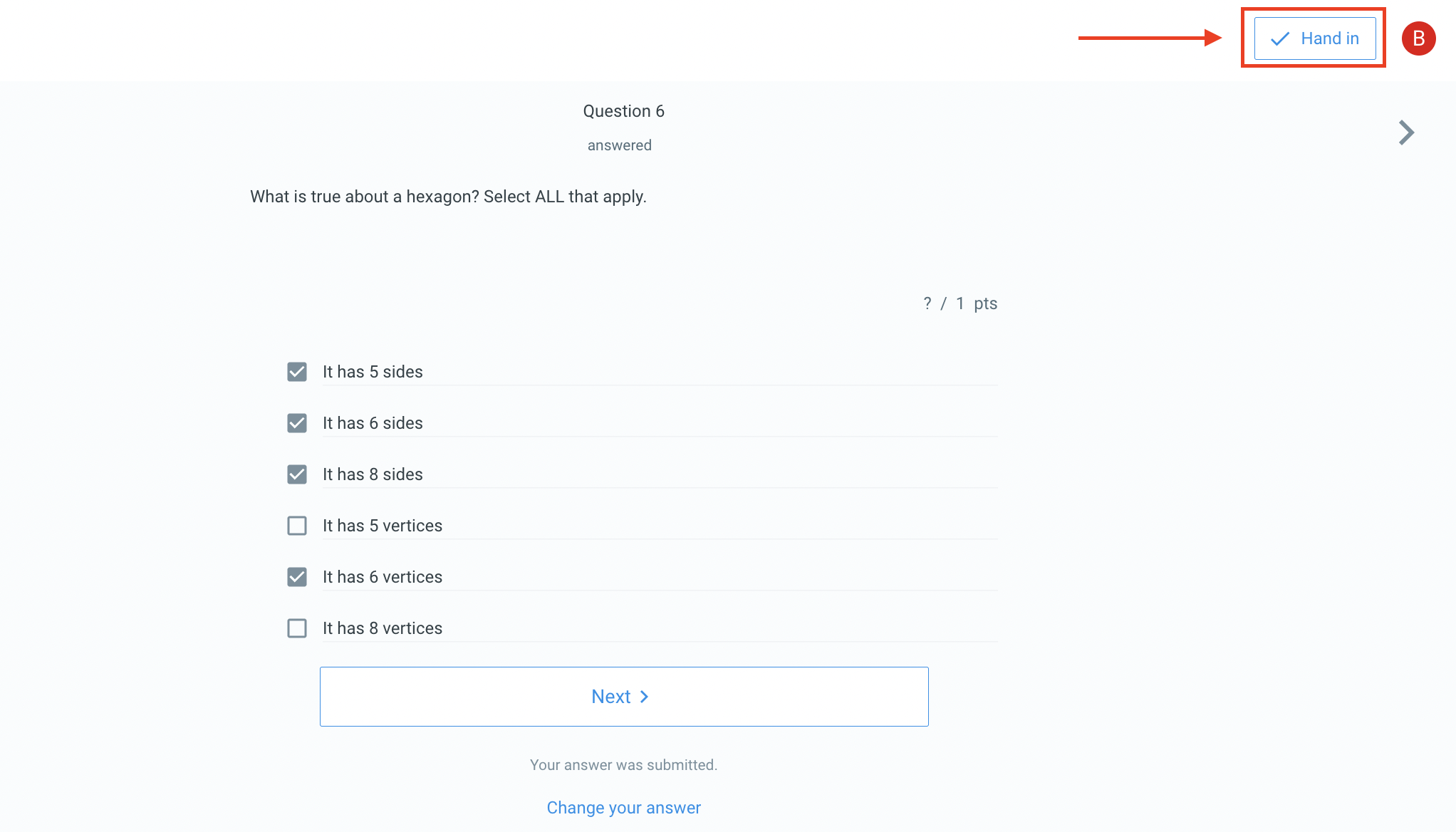
We are happy to announce that educators now have the ability to elevate student progress tracking with our new "Hand in" button! While the existing "Submit" button offers real-time answer visibility, the ‘Hand in’ button lets students finalize their responses.
- Selecting "Hand in" means students' answers are locked in, mirroring the finality of a traditional paper exam.
- If students prematurely select "Hand in” without answering all questions, Classtime sends an alert.
- For any post ‘‘Hand in" revisions, students can easily request editing rights.
Learn more about the "Hand in" button and the "Log out when handing in" setting here.
Understanding that every student learns differently, we've integrated a Read-Aloud capability to cater to auditory learners and those who benefit from hearing content out loud. Whether it's for comprehension, pronunciation, or simply the joy of listening, our Read-Aloud feature is designed to make learning more accessible and engaging.
- Natural Voice Integration: Experience a smooth and clear voice that makes listening a pleasure.
- Adjustable Speed: Tailor the reading speed to your students' comfort, whether they prefer a slower pace or a brisk one.
- Highlight as it Reads: Watch as words get highlighted in sync with the reading, aiding in word recognition and retention.
Learn more here.
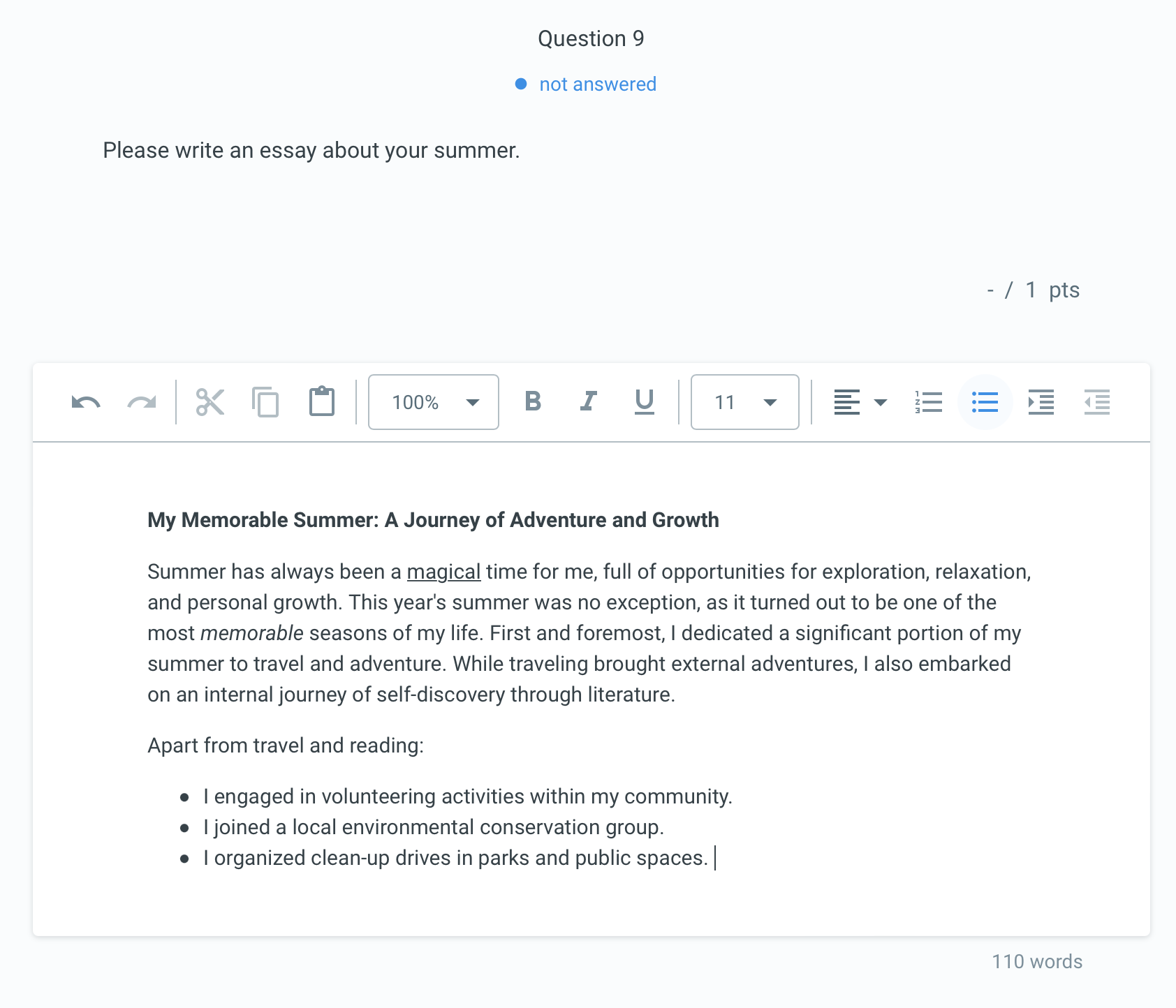
Educators now have the freedom to choose whether to receive concise answers or delve into the depths of your students' creativity with full-length essays! The Long Text (Essay) question type also includes rich formatting options like bold, italic, various font sizes, and more.
Learn more about the Long Text (Essay) question type here.
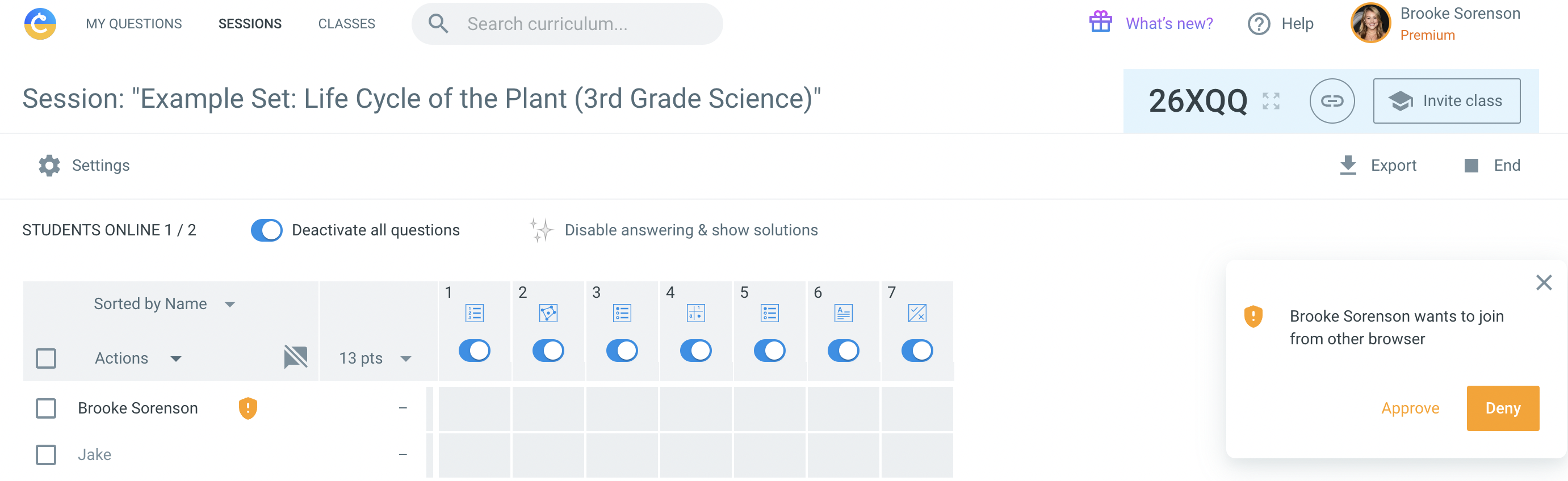
Make your digital exams more secure with our session setting: Enhanced Student Login Control. When activated, students can only log in using their account once. If students need to login again on another browser, teachers will first have to approve or deny the request.
Learn more about Enhanced Student Login Control here.
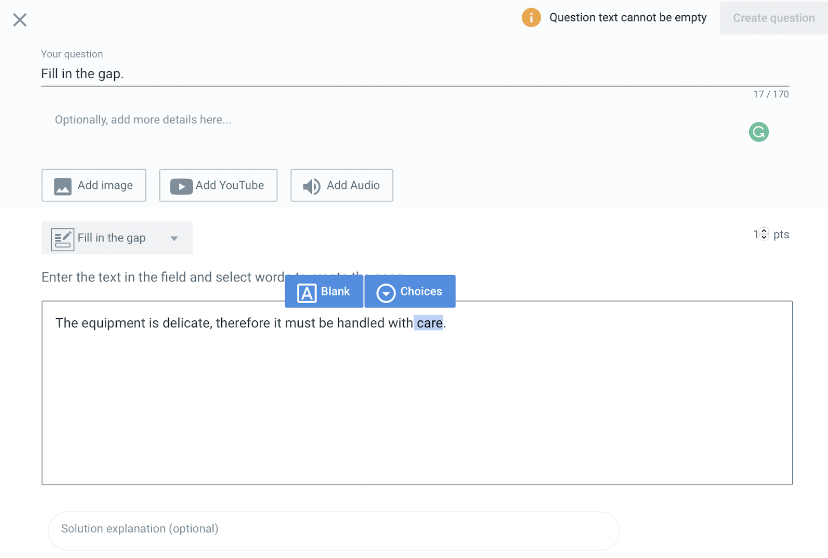
With our Fill-in-the-Gap question type, you can assess reading comprehension, check grammar, name an object in a picture, and more effectively measure students’ depth of knowledge. Create as many gaps as you want with both free-text and multiple choice gap options.
To learn more, click here.
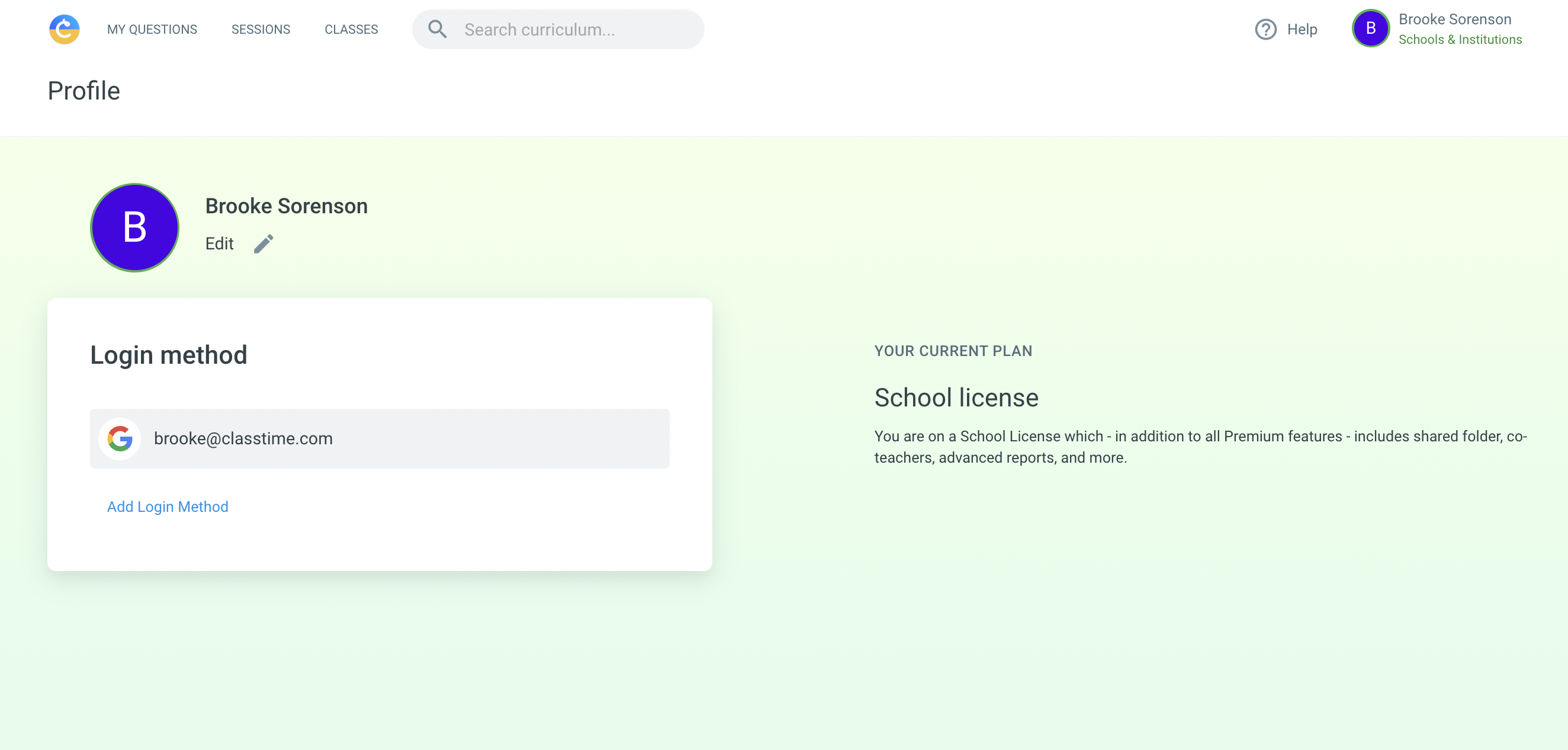
Enjoy more options when it comes to security and authentication methods with our new Profile page. Whether you want to log in through your school, Clever, or your personal email, you’ll always be able to access the same Classtime account and enjoy your question sets, sessions, and classes in one place.
We've also added the ability to change your name that is shown to students when you invite them to a session.
Visit your profile page here.
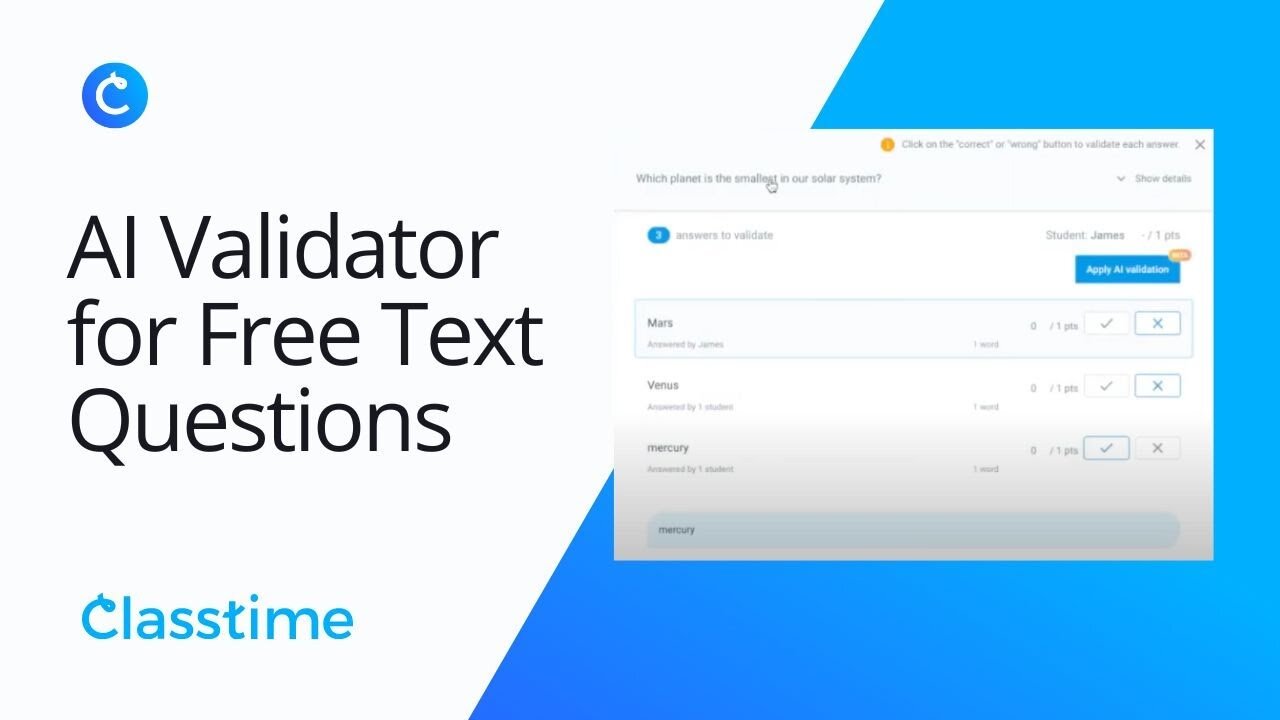
In addition to grouping identical free text answers as before, our new AI Free Text validator suggests which answers should be marked correct or incorrect - easily validate free text questions with one click!

Conduct secure assessments with our Safe Exam Browser integration. With this integration, your students will only be able to access their Classtime session and other websites that you’ve allowed in your settings. Control your students’ access and turn the computer into a secure workstation temporarily by preventing students from navigating away from their session to look up an answer or use outside sources and creates a more honest environment for their assessment.
Learn more how to set this up here.
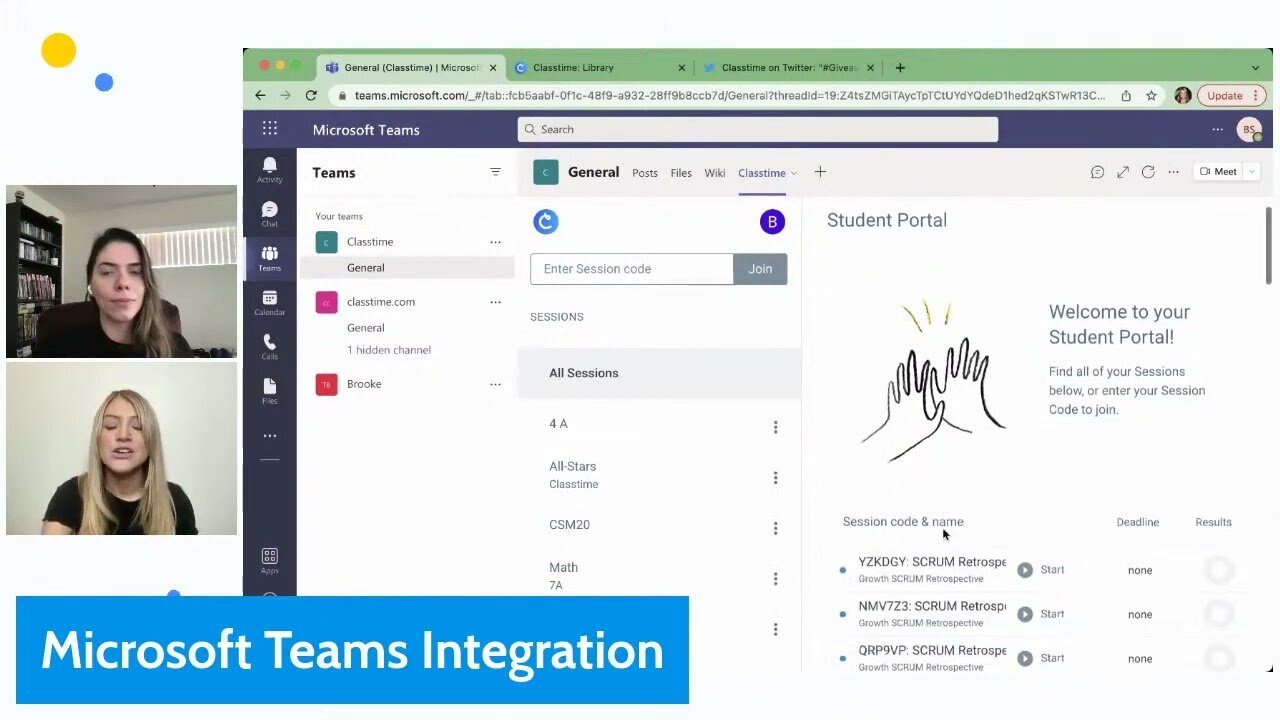
Microsoft Teams users can now add Classtime as a Microsoft Teams app. Our integration allows both students and teachers to access and fully use Classtime as a trusted app within Microsoft Teams. All users are automatically and safely authenticated via Microsoft SSO.
Request access to the Microsoft Teams app via email here.